
Contact our team for professional guidance and solutions.
A successful bilingual e-commerce store should offer a consistent shopping experience in Arabic and English, not simply translate product descriptions. UAE retailers need language-aware navigation, correct right-to-left layouts, readable product information, localised forms, consistent pricing and delivery details, and checkout flows that work in both languages. Testing each version separately helps identify layout problems and ensures customers can browse, purchase, and receive order updates confidently.
An online store can offer excellent products and competitive prices yet lose potential customers when its shopping experience feels unfamiliar or difficult to navigate in their preferred language. For UAE retailers serving Arabic- and English-speaking audiences, bilingual design affects every stage of the customer journey, from discovering a product and understanding its specifications to selecting delivery options and completing payment. Simply translating the text does not address differences in reading direction, interface alignment, typography, mixed-language content, and the way customers interact with forms. A layout that works well in English may become confusing when adapted for Arabic, particularly when buttons, product images, prices, and navigation controls are not positioned or tested appropriately. Effective Bilingual E-commerce UAE design treats both languages as complete shopping experiences built on shared usability principles. By planning localisation from the beginning, retailers can maintain brand consistency while allowing customers to browse, compare products, and complete purchases comfortably in either language.
The UAE serves customers with different language preferences, cultural backgrounds, shopping habits, and levels of familiarity with individual brands. Offering Arabic and English mobile app can make product information and purchasing steps more accessible to the intended audience, but the benefits depend on how well each language version is implemented.
A bilingual store should help customers perform the same essential tasks regardless of the language they choose.
Customers should be able to find categories, search for products, and understand promotional messages.
Product specifications, prices, availability, and delivery information should remain clear.
Important controls should behave predictably across language versions.
Customers should be able to switch languages without losing their cart or completed form information.
Checkout, order confirmation, and relevant customer communications should remain understandable.
Language support should be based on the needs of the target audience rather than assumptions about which language every customer prefers. Some visitors may use Arabic for browsing but recognise product names or technical terms in English. Others may prefer English throughout the purchase.
A thoughtful bilingual experience accommodates these differences without creating separate, disconnected stores.
The language switcher is often the first control that determines whether visitors can access the experience they prefer. If it is difficult to find or resets the current page, customers may abandon the task before they reach the product they want.
Place the language control in a predictable location, such as the main header or another prominent part of the navigation. Its placement should remain understandable in both Arabic and English layouts.
Display language names in a way customers can recognise. Avoid relying solely on flags, because a language is not necessarily associated with one country.
When a customer changes languages on a product page, take them to the equivalent product page in the selected language whenever that version exists. Returning everyone to the homepage creates unnecessary work.
Changing languages should not clear the cart, remove selected product options, or erase information already entered into a form.
If a product or category does not have a complete translation, explain the situation clearly and provide a useful alternative. Avoid sending users to broken pages or silently switching the entire interface to a different language.
A well-designed language switcher makes language choice feel like a normal part of browsing rather than a disruption to the purchase process.
Arabic is written from right to left, so the interface may need to adapt its reading direction, alignment, navigation flow, and component positioning. Simply aligning all text to the right does not create a complete RTL experience.
RTL E-commerce Design should consider both the document structure and the behaviour of individual components.
Use the appropriate language and direction attributes in the HTML markup. For example, an Arabic page may use lang="ar" and dir="rtl", while an English page may use lang="en" and dir="ltr".
The correct implementation depends on the page structure and whether individual components contain text in another language.
Review the order and alignment of menus, breadcrumbs, sidebars, tabs, pagination, and multi-step checkout indicators. Elements should follow a logical reading sequence rather than simply appearing in a mirrored arrangement.
Where appropriate, CSS logical properties such as margin-inline-start and padding-inline-end help components adapt to the text direction without requiring separate hard-coded styles for every language.
Some icons communicate direction, such as arrows for moving forward or backward. These may need to change orientation depending on their meaning. Other icons, such as shopping carts or search symbols, may not need mirroring.
Product codes, email addresses, URLs, model numbers, and telephone numbers may follow different directional conventions from surrounding Arabic text. Test these elements carefully to avoid unexpected ordering or punctuation problems.
A complete RTL implementation should be validated on product listings, product details, filters, cart pages, forms, and checkout—not only on the homepage.
Product pages provide the information customers need to make a purchasing decision. A translation that is technically correct but difficult to scan can still create uncertainty or increase the likelihood of mistakes.
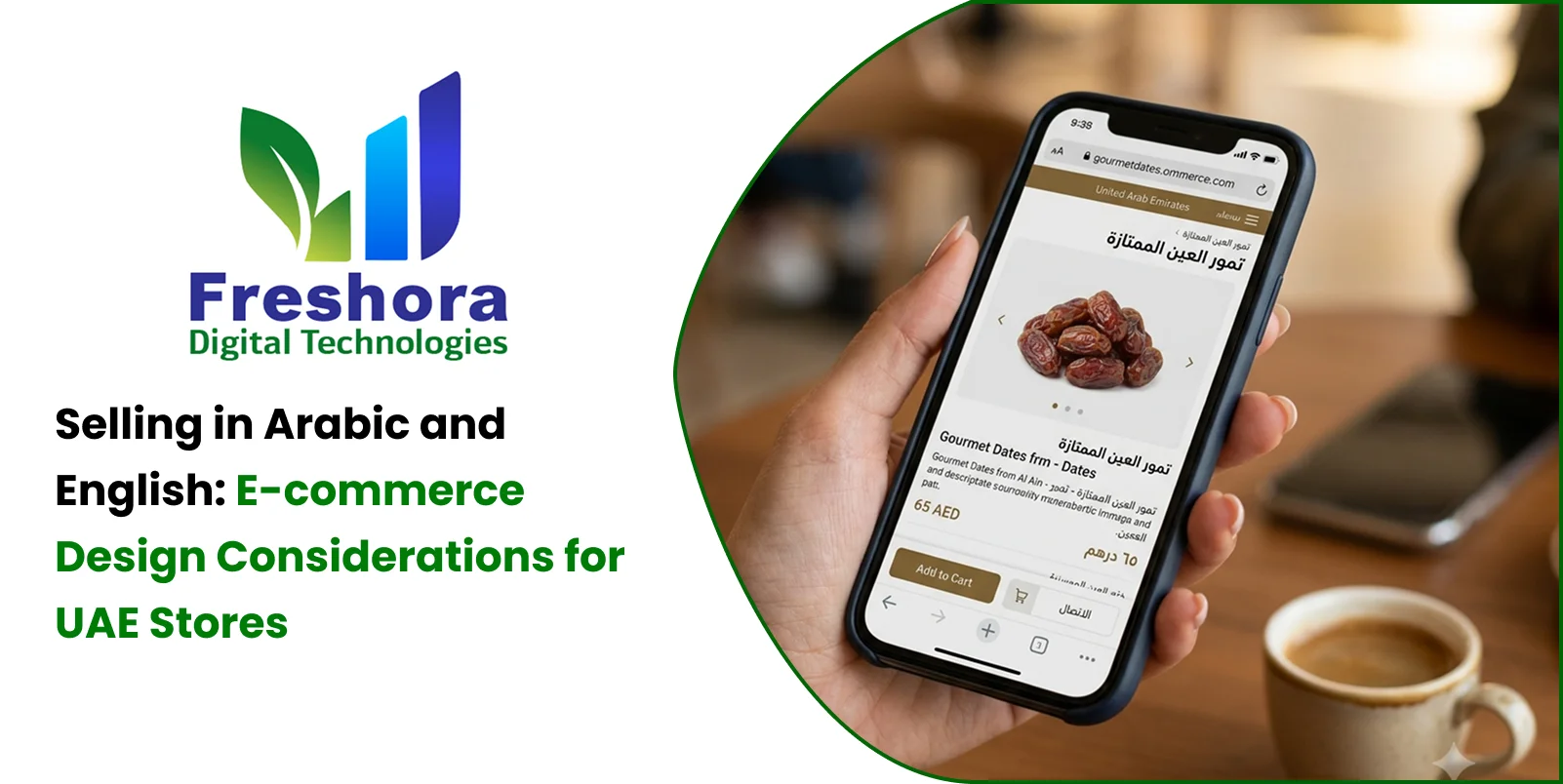
Arabic Product Pages UAE should preserve the meaning and usefulness of the original product information while adapting the presentation to Arabic reading patterns.
Translate product names and descriptions accurately. Use terminology that suits the product category and target audience. Technical products may require specialist review rather than direct word-for-word translation.
Keep specifications easy to compare. Tables, dimensions, materials, compatibility details, and product attributes should remain readable in both directions. Verify column order and alignment instead of assuming every table should be reversed.
Preserve important details. Warranty conditions, included accessories, product limitations, and usage instructions should not disappear from one language version.
Handle product images carefully. If an image contains embedded text, labels, or diagrams, check whether an Arabic version or an accessible text explanation is needed.
Maintain consistent product identifiers. SKUs, model numbers, and internationally recognised product codes should remain accurate and searchable, even when the surrounding interface is in Arabic.
Adapt the content layout. Arabic text may wrap differently from English. Allow sufficient space for product names, buttons, feature lists, and promotional messages without clipping or awkward overflow.
The goal is not to make both pages visually identical. It is to ensure that each version provides equivalent information and supports the same purchase decisions.
Customers need to find products quickly, whether they search by a product name, a category, a model number, or a specific feature.
A bilingual store should account for how product information is named and searched in each language.
Where relevant, allow customers to find products using Arabic names, English names, model numbers, and common alternative terms. A product may be known by different names across languages.
Category structures should use clear terminology that makes sense to the intended audience. Direct translation may not always reflect how customers naturally classify products.
Price, brand, size, colour, material, availability, and other filters should have clear labels and work correctly in both language versions.
Autocomplete should recognise the language being entered and provide relevant suggestions. Where possible, it should accommodate common spelling variations and product identifiers.
Ensure that sorting options, pagination, result counts, and empty-state messages remain understandable when the interface direction changes.
If a search returns no products, explain the situation and offer useful next steps, such as adjusting filters or trying another term. Do not leave users with a blank page.
Product discovery should remain effective even when customers switch between languages or use a mixture of Arabic and English search terms.
Language localisation also affects the way commercial information is presented. Customers should not have to interpret inconsistent currency symbols, unclear delivery dates, or conflicting order totals.
A bilingual store should maintain consistent business rules while adapting how information is displayed.
Currency: Display the applicable currency clearly and consistently. If prices are shown in AED, ensure that both language versions communicate the same amount.
Number formatting: Use appropriate locale-aware formatting for numbers, decimal separators, and other values where relevant.
Dates and times: Make delivery estimates, promotions, and appointment times unambiguous.
Delivery coverage: Explain the areas served, applicable restrictions, and relevant delivery charges in both languages.
Taxes and additional charges: Ensure that the same applicable charges and conditions appear in each language version.
Discount conditions: Translate minimum-spend requirements, exclusions, and promotional deadlines accurately.
Product availability: Keep stock status and fulfilment information consistent across language versions.
The underlying commercial information should come from the same reliable source wherever possible. Maintaining separate, manually updated price or stock information for each language can introduce discrepancies that undermine customer confidence.
Checkout is where language-related usability problems can directly interrupt a purchase. A customer who understands the product may still struggle if the address form, validation messages, payment instructions, or order confirmation are not properly localised.
A Bilingual Online Store Dubai should test the complete checkout journey in both languages.
Each field should explain what information is required. Placeholder text alone should not be the only label, and mandatory fields should be identified clearly.
Customers may enter Arabic names and addresses alongside English email addresses, product codes, or other details. Mixed-language fields should handle this content without unexpected reordering or validation failures.
Use field labels and instructions that match the information the business actually needs. If delivery coverage depends on location, explain how the information will be used and when delivery availability will be confirmed.
Errors should identify the problem and explain how to correct it in the selected language. Avoid displaying an Arabic form with English-only validation messages unless there is a clear reason.
Customers should not lose entered information, selected delivery options, or payment progress simply because they choose another language.
The order summary, final amount, delivery information, and confirmation message should remain understandable in the chosen language. Relevant order emails or notifications should also reflect the available language preferences where supported.
Test the checkout with realistic Arabic names, mixed-direction information, mobile keyboards, and the payment methods offered by the store.
Arabic typography has its own letter shapes, joining behaviour, and spacing requirements. A font that looks attractive in a heading may not remain readable in small product descriptions or form labels.
Typography decisions should be tested in the context of the complete interface.
Choose fonts with reliable Arabic support. Confirm that the selected font includes the characters and shaping behaviour needed for the content. Use suitable fallback fonts where necessary.
Establish a clear type hierarchy. Headings, descriptions, prices, labels, and supporting text should remain visually distinct in both languages.
Allow flexible line lengths. Arabic and English text may wrap differently. Fixed-height cards or buttons can clip longer translations.
Check line spacing and readability. Dense product descriptions, technical specifications, and policy text should remain comfortable to read at different screen sizes.
Review punctuation and mixed text. Arabic sentences containing English terms, model numbers, and prices can behave unexpectedly if directionality is not handled properly.
Maintain brand consistency. Colours, imagery, spacing principles, and component behaviour can remain consistent even when typography and alignment need to adapt.
Avoid shrinking Arabic text simply to fit an English-designed component. The interface should adapt to its content instead of forcing every language into identical dimensions.
A bilingual store should be accessible to users who navigate with keyboards, screen readers, zoom, voice input, or other assistive technologies. Supporting two languages adds extra considerations because assistive technology needs accurate information about the language and structure of the content.
Multilingual E-commerce UX should include the following practices:
Set the correct language attribute for each page and for content sections that switch languages.
Ensure that headings and landmarks follow a logical structure in both versions.
Provide meaningful alternative text for informative images in the relevant language.
Make keyboard focus visible and ensure that controls work without a mouse.
Use accessible labels for search, quantity controls, filters, and checkout fields.
Ensure that validation messages are announced and understandable.
Check text contrast and readability when content wraps differently in Arabic.
Test screen-reader output for mixed-direction product details and form fields.
Automated accessibility tools can help detect certain issues, but manual testing is necessary to evaluate reading order, focus behaviour, and the usability of real shopping journeys.
Accessibility should be treated as part of bilingual quality assurance, not as a separate final check.
As a store expands its product range, manually maintaining two versions of every page can become difficult. Product names, descriptions, category labels, promotional messages, and policies may change at different times, creating inconsistencies between language versions.
A structured content workflow helps keep information accurate.
Decide who is responsible for creating, translating, reviewing, and approving product information in each language.
Store product content in a way that allows the same product record to support different language versions without duplicating the entire page implementation.
Identify which products, categories, and content sections are fully translated, awaiting review, or missing a translation.
Create a glossary for recurring product terms, category names, technical language, and business-specific wording. This helps different contributors use consistent terminology.
Prioritise product titles, specifications, pricing information, checkout labels, delivery terms, and return policies because errors in these areas can affect purchase decisions.
When product details or commercial terms change, ensure that the relevant language versions are updated and reviewed.
Translation management should support accuracy and speed without treating every sentence as a simple word replacement task.
Some bilingual problems appear only after the store has been used by real customers. Avoiding the following mistakes can reduce rework and improve consistency.
Translating without adapting the layout: Text direction, line length, and component positioning may need to change for Arabic.
Using separate, inconsistent product information: Manually maintained versions can display different specifications, prices, or availability.
Resetting the page when switching languages: Sending customers back to the homepage interrupts browsing and may cause them to lose their progress.
Mirroring every icon automatically: Some symbols communicate direction, while others have a universal meaning and should remain unchanged.
Ignoring mixed-language content: Product codes, email addresses, URLs, and model numbers can display incorrectly in right-to-left interfaces.
Testing only the homepage: Problems may occur in filters, product details, cart pages, forms, and checkout.
Using machine translation without review: Literal translations can make product information unclear or misleading, particularly for technical and commercial terms.
Treating accessibility as optional: Correct language attributes, semantic structure, and keyboard behaviour are necessary for many assistive technologies.
Forgetting post-purchase communication: Order confirmations and relevant customer messages should remain consistent with the customer's language preferences where supported.
A reliable bilingual store requires a repeatable design and content process, not just a translation step before launch.
Retailers can make bilingual implementation easier by building and testing the experience in stages.
Identify the languages the store will support and the product categories, customer journeys, and information needs that matter most.
Decide how product descriptions, categories, policies, navigation labels, and other content will be managed in each language.
Establish how the interface adapts to left-to-right and right-to-left layouts. Include typography, spacing, icons, forms, and responsive behaviour.
Create shared patterns for buttons, product cards, navigation, search, filters, forms, and checkout controls. Test their behaviour in both language directions.
Review product terminology, specifications, currency presentation, delivery details, promotional conditions, and customer-facing policies.
Test product discovery, cart updates, language switching, checkout, payment, and order confirmation on desktop and mobile. Include accessibility checks and realistic mixed-language inputs.
Review search behaviour, product engagement, form errors, checkout completion, customer feedback, and translation issues separately for each language version.
For businesses planning a new bilingual store or redesigning an existing one, Freshora Digital Technologies can incorporate localisation, RTL behaviour, product content structure, and bilingual checkout requirements into e-commerce development planning.
A successful bilingual e-commerce store gives customers a complete and dependable shopping experience in their preferred language. For UAE retailers, this requires more than translating headings and product descriptions: navigation, right-to-left layouts, search, typography, pricing, delivery information, forms, and checkout must all work correctly in Arabic and English. The strongest approach uses shared business data and consistent design principles while adapting presentation and interaction to the requirements of each language. It also accounts for accessibility, mixed-language input, content maintenance, and testing across real shopping journeys. By planning localisation from the beginning, maintaining clear translation workflows, and reviewing performance separately for each language version, businesses can reduce avoidable confusion and create a more usable online store. Bilingual design works best when both versions are treated as first-class experiences rather than one primary store and a translated alternative.



Quick Answer Dubai businesses can replace spreadsheets with internal web applications when shared f... Read More

Quick Answer A Dubai business needs a web application instead of a standard website when customers,... Read More

Quick Answer E-commerce integration connects an online store with the business systems that manage... Read More
Our expert will call you shortly to understand your needs and help grow your business.
Get exclusive digital marketing tips, SEO insights, web & app updates, and job opportunities delivered straight to your inbox.
Join our WhatsApp channel for instant digital marketing tips, SEO insights, web & app updates, and latest job opportunities.
Join NowFreshora Digital Technologies proudly serves businesses across Tiruchirappalli (Trichy), including Cantonment, Puthur, Thillai Nagar, Palakarai, Subramaniyapuram, Mela Chinthamani, Woraiyur, KK Nagar, Karumandapam, Crawford, Edamalaipatti Pudur (EMP), Kattur, Airport Area, Ariyamangalam, Panjappur, Thuvakudi, Tiruverumbur, BHEL Township, Srirangam, Thiruvanaikaval, Samayapuram, No.1 Tollgate, Central Bus Stand Area, and Chathiram Bus Stand Area.
We also serve clients across Tamil Nadu, India, and globally in Singapore, the UAE, Saudi Arabia, Canada, Australia, the United Kingdom, and the United States, delivering innovative Website Development, Mobile App Development, Software Development, SEO, Google Business Profile Management, and Digital Marketing solutions that help businesses grow and succeed in the digital world.

